A passkey cannot be phished, cannot be guessed, and cannot be stolen in a data breach — because there is nothing to steal. No password is created, none is stored on the company’s servers, and none is ever transmitted.
That is a genuinely large change to how logging in works, and it is already available on Google, WhatsApp, Amazon, Microsoft and a growing list of Indian services. Here is what it is, how to set one up, and where it still falls short.
How a Passkey Works
When you create a passkey, your device generates a matched pair of cryptographic keys.
The private key never leaves your phone or laptop. It sits in secure hardware and is unlocked only by your fingerprint, face or device PIN. The public key goes to the service, and it is useless on its own.
Signing in works by challenge and response: the service sends a challenge, your device signs it with the private key, and the service verifies the signature against the public key it holds. The private key is never sent anywhere.
Your biometric data also never leaves the device. The fingerprint unlocks the key locally; the service never sees it.
Why This Defeats Phishing
This is the part worth understanding properly, because it is the real advantage.
A passkey is bound to the exact website domain it was created for. If you land on a convincing replica at a lookalike address, your device simply will not offer the passkey — not because you were alert, but because the domain does not match.
Contrast that with a password or an OTP, both of which you can be tricked into typing into a fake site. The strongest fake page in the world cannot extract a passkey, and no amount of social engineering persuades your phone that the wrong domain is the right one.
Given how much Indian fraud runs on convincing replicas of bank and shopping sites — the signals for which are in our guide to checking whether a website is safe — this is a meaningful upgrade.
Setting One Up
Google: go to g.co/passkeys, or myaccount.google.com → Security → Passkeys. Choose to create one and confirm with your device biometric. Takes under a minute.
WhatsApp: Settings → Account → Passkeys. This replaces the SMS code at login, which also removes a SIM-swap exposure.
Others: look under Security or Sign-in settings for “Passkey” or “Sign in without a password”. Amazon, Microsoft, Apple, PayPal and an increasing number of services support them.
You can create passkeys on more than one device. Doing so on both your phone and your laptop is sensible, because it means losing one does not lock you out.
What Happens If You Lose the Device
The most reasonable objection, and it has a real answer.
Passkeys sync through your platform account — Google Password Manager on Android, iCloud Keychain on Apple devices, or a third-party password manager that supports them. A new phone signed into the same account gets your passkeys back.
They are also additive rather than exclusive. Creating a passkey does not delete your password. Your existing sign-in methods and recovery routes remain, which is both the safety net and, as below, the limitation.
Two things worth doing: create passkeys on at least two devices, and keep your backup codes, as covered in our guide to setting up two-factor authentication.
The Honest Limitations
Your account is only as strong as its weakest route in. If you add a passkey but leave SMS-based recovery enabled, an attacker will simply attack the recovery path. The passkey has not made you safe; it has made one door stronger. Tighten recovery at the same time.
Coverage in India is still patchy. Global platforms support passkeys well. Most Indian banks, government portals and smaller services do not yet. You will be using passwords and OTPs for a while regardless.
Shared devices are awkward. A passkey tied to a family phone means anyone who can unlock that phone can sign in as you.
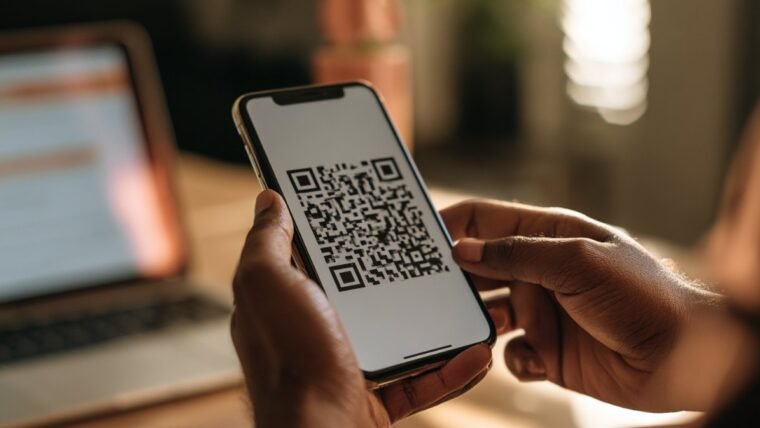
Cross-ecosystem use is clumsy. A passkey in iCloud Keychain used on a Windows machine generally requires scanning a QR code with your phone. It works, but it is not seamless.
Should You Bother?
Yes, for your most important accounts, and it costs a minute each.
Start with Google, because it is the recovery route for everything else. Then WhatsApp, because account takeover there is used to defraud your contacts. Then anything holding money.
Keep passwords and backup codes in place behind them. Passkeys are a strong additional door, not yet a replacement for the building.
We cover Indian digital security in plain language at Techleez com.
Passkeys and Password Managers
If you already use a password manager, check whether it stores passkeys, because where they live determines how portable they are.
Storing passkeys in your platform account — Google Password Manager or iCloud Keychain — is simplest and syncs automatically within that ecosystem. Storing them in a cross-platform password manager means they follow you between an Android phone and a Windows laptop without the QR-code dance. The trade is that you are then trusting that manager with the keys to everything, so it needs a strong master password and its own second factor.
What you should avoid is scattering passkeys across three different stores without knowing which is where. When you eventually lose a device, you want a single clear answer to the question of where your keys are.
What to Do Right Now
Create a passkey on Google from your phone, then create a second one from your laptop so you are not dependent on a single device. Do the same on WhatsApp. Then go back into your Google security settings and look at recovery — if your recovery phone is a number you no longer hold, or your recovery email is an address you cannot access, fix that before anything else, because it is the weakest point in the chain regardless of how good your passkey is.
Ten minutes, and it removes the two most common ways ordinary accounts are taken over in India: a phished password, and a recovery route left pointing at a dead SIM.
Frequently Asked Questions
What is a passkey?
A cryptographic key pair replacing a password. The private key stays on your device and is unlocked by biometrics or a PIN; the service only holds a useless public key.
Can a passkey be phished?
No. It is bound to the exact domain it was created for, so a lookalike site cannot trigger it regardless of how convincing it looks.
Does the service get my fingerprint?
No. Your biometric stays on the device and only unlocks the local key.
What if I lose my phone?
Passkeys sync through your platform account, so a new device signed into the same account restores them. Your password and backup codes also still work.
Does creating a passkey delete my password?
No. Passkeys are added alongside existing methods, which is why you should also tighten your recovery options.
Do Indian banks support passkeys?
Most do not yet. Support is strong on global platforms and still limited across Indian banking and government services.

Fold Smith
Fold Smith is a technology journalist and the lead editor of The Techleez, an India-first publication that decodes technology, digital payments, streaming and online culture for everyday readers. From UPI and fintech explainers to OTT streaming guides, Android tips and online-safety checklists, he personally tests the apps, tools and services featured on the site before recommending them. His focus is practical, research-backed guidance that helps Indian readers make smarter digital decisions — spend less, stream better and stay safe online. When he is not writing, he is usually tracking NPCI circulars, first-day-first-show box office numbers, or the next big OTT premiere.
More from this author →