Most Indians still carry a folder of photocopies to every appointment. DigiLocker exists to end that, and the part almost nobody understands is that a document pulled into DigiLocker from its issuer is not a convenience copy — it carries the same legal standing as the physical original.
That distinction is the whole point, and it is also where people get it wrong. Here is what actually counts, and what does not.
The Legal Bit, Because It Is the Reason to Use It
DigiLocker’s authority comes from Rule 9A of the Information Technology (Preservation and Retention of Information by Intermediaries providing Digital Locker Facilities) Rules, 2016, made under the IT Act, 2000. Under it, documents issued into your DigiLocker by the issuing authority are treated at par with the original physical documents.
In practice that means a traffic officer who asks for your driving licence must accept the one in your DigiLocker Issued section. So must an examination board, a bank doing KYC, or an airline checking ID. The Ministry of Road Transport has confirmed this specifically for driving licences and vehicle registration certificates.
The misconception that costs people: a document you scanned and uploaded yourself does not have this status. Only the Issued Documents section — where the record comes directly from the issuing authority through a verified digital pipe — gets Rule 9A parity. Your own scan of your degree certificate is a photograph in the cloud, legally speaking. If the document is not in the Issued section, do not expect it to be accepted as an original.
Setting It Up
Go to digilocker.gov.in or install the official app. You will need your Aadhaar and the mobile number registered to it, because sign-up runs on Aadhaar OTP. Set a six-digit security PIN when prompted — it is the second factor on every future login.
If your Aadhaar has an old mobile number attached, nothing here will work. That has to be fixed first, and our guide to linking your mobile number with Aadhaar covers the two routes.
The platform is at genuine national scale — over 70 crore registered users and more than 900 crore issued documents — and it holds ISO 27001:2022 certification, which is worth noting for anyone nervous about putting identity documents in a government cloud.
What You Can Actually Pull In
Search by issuer in the app and the list is long. The ones people use most:
- Aadhaar from UIDAI
- PAN from the Income Tax Department
- Driving licence and vehicle RC from your state transport department
- Class X and XII marksheets from CBSE, ICSE and most state boards
- Degree certificates and marksheets from participating universities
- Insurance policies from major insurers
- Ration card, pension documents, caste and income certificates from state departments
- ABC ID and ABHA health ID
Larger states have several hundred participating issuers. If a document you need is missing, the issuer has not integrated yet — there is no workaround, and self-uploading it will not give it legal weight.
Sharing a Document Without Handing Over Everything
This is DigiLocker’s best feature and the least used. Instead of emailing a PDF that the recipient keeps forever, you share through the platform, which means:
- Sharing is consent-based — you approve each request
- Every access is logged, so you can see who opened what and when
- The recipient can verify authenticity rather than trusting a file that could have been edited
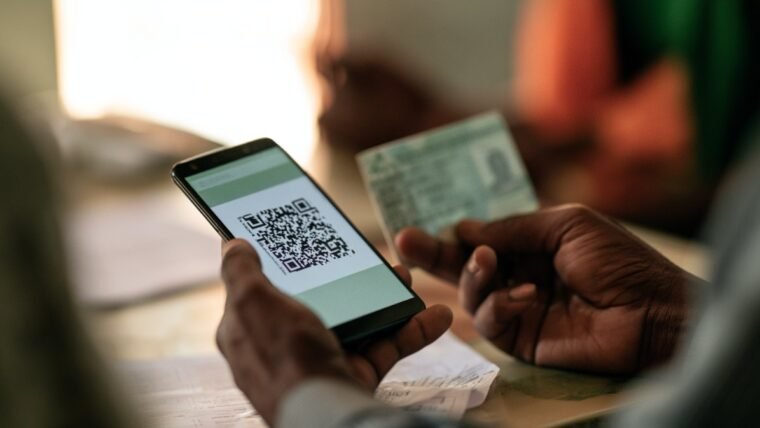
For offline situations, each issued document carries a QR code and a digital signature. Someone can scan the QR or validate the signature to confirm the document is genuine and unaltered, without needing your login.
DigiLocker Drive, for Everything Else
Alongside issued documents, DigiLocker gives you cloud space for your own uploads — reported at 1 GB. Note that issued documents are links to the issuer’s record rather than stored files, so they do not consume this quota.
You will still see articles quoting a 10 MB limit. That figure is many years obsolete and should be ignored.
Use the Drive for the documents no issuer provides digitally: rent agreements, old certificates, medical records, warranty cards. Just remember the legal distinction — useful to have, not an original.
Where It Genuinely Saves You
Traffic stops. Licence and RC from the Issued section, accepted. No wallet full of laminated cards.
Exam results and admissions. Boards push marksheets directly, usually available before physical copies are distributed.
Bank and telecom KYC. Many institutions now accept a DigiLocker share instead of self-attested photocopies.
Travel. Domestic airlines accept DigiLocker identity documents at check-in.
Losing things. The single most underrated benefit. If your wallet or phone goes, your documents are still there — which pairs well with knowing how to block a stolen phone on every Indian network.
The Sensible Cautions
Your DigiLocker is only as secure as your Aadhaar-linked number and your PIN. Anyone who controls that number can complete an OTP login, which is exactly why SIM-based attacks matter and why it is worth checking how many SIM cards are registered on your name.
Two habits worth forming. Never sign in on a shared or borrowed device, and if you must, sign out fully afterwards. And review your sharing history occasionally — the access log exists so you can use it, and an entry you do not recognise is worth chasing.
Finally, ignore anything calling itself a DigiLocker helper app or offering to set it up for you. The official app and the official website are the only two front doors. We keep guides to India’s digital identity systems current at Techleez com, including what Sanchar Saathi does and how the pieces connect.
Frequently Asked Questions
Is a DigiLocker document legally valid in India?
Yes, if it is in the Issued Documents section. Rule 9A of the 2016 Digital Locker rules under the IT Act, 2000 treats those as at par with the original physical document. Self-uploaded scans do not have that status.
Will police accept a driving licence from DigiLocker?
Yes, provided it is the issued version pulled from the transport department, not a photograph of your licence that you uploaded.
Do I need Aadhaar to use DigiLocker?
Yes. Registration is verified through Aadhaar OTP, so you need an Aadhaar with a working registered mobile number.
How much storage does DigiLocker give?
Reported at 1 GB for your own uploads through DigiLocker Drive. Issued documents are links to the issuer’s records and do not use that space.
What happens if I lose my phone?
Nothing is lost. Log in from any device with your Aadhaar-linked number and PIN. The documents live in the account, not on the handset.
Can someone see my documents without permission?
No. Sharing is consent-based and every access is logged, so you can review who opened which document and when.

Fold Smith
Fold Smith is a technology journalist and the lead editor of The Techleez, an India-first publication that decodes technology, digital payments, streaming and online culture for everyday readers. From UPI and fintech explainers to OTT streaming guides, Android tips and online-safety checklists, he personally tests the apps, tools and services featured on the site before recommending them. His focus is practical, research-backed guidance that helps Indian readers make smarter digital decisions — spend less, stream better and stay safe online. When he is not writing, he is usually tracking NPCI circulars, first-day-first-show box office numbers, or the next big OTT premiere.
More from this author →