Most people lose something when they switch phones, and it is almost never their photos. It is the authenticator app that was never migrated, the UPI app that now demands re-registration, or the WhatsApp backup that was three months old.
The fix is doing things in the right order, and doing several of them before you wipe the old phone. Here is the sequence.
Do These Four Things on the Old Phone First
This section is the whole article. Everything else is recoverable; these are not.
1. Migrate your authenticator app
If you use Google Authenticator, Microsoft Authenticator or similar, the codes live on the device, not in your account. Wipe the old phone without exporting and you can be locked out of every account those codes protect.
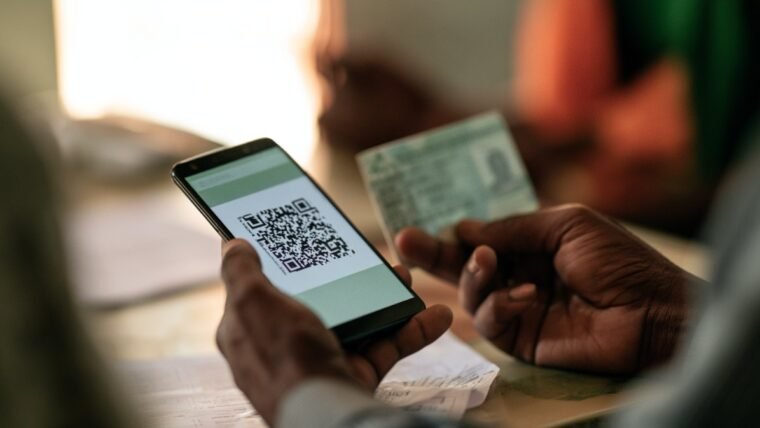
Google Authenticator has a transfer function that displays a QR code for the new phone to scan. Do it while both phones are in front of you. If your codes are already synced to your Google account, confirm that is actually switched on rather than assuming.
If you have already wiped the old phone, recovery runs through each service’s backup codes — which is why our guide to recovering a Google account without the phone number exists.
2. Back up WhatsApp manually, today
Do not trust the scheduled backup. Open WhatsApp → Settings → Chats → Chat backup → Back up, and wait for it to finish. Check the timestamp says today.
Note the platform rule: Android to Android uses Google Drive, iPhone to iPhone uses iCloud, and crossing between them needs the separate process in our guide to transferring WhatsApp from Android to iPhone.
3. Note what will need re-registration
UPI and banking apps bind to the device. On the new phone they will need setting up again, which means your debit card details to reset a UPI PIN. Make sure you have the card to hand, and expect a cooling-off period on transactions with some banks.
4. Deal with apps that do not back up
Signal needs its own transfer process. Offline downloads in Netflix, Spotify and JioSaavn do not move and must be re-downloaded. Some games store progress locally unless you linked an account — link it now. Standalone note-taking apps that never asked you to sign in are storing everything on that device only.
Then Do the Main Transfer
Android to Android. During setup, the new phone offers to copy from your old device. Use the cable if you have one — it is faster and more complete than Wi-Fi. This moves apps, settings, call history, SMS and Google account data. Samsung’s Smart Switch does the same job with more manufacturer-specific coverage.
iPhone to iPhone. Quick Start, holding the two phones near each other, or an iCloud backup restore.
Android to iPhone. Move to iOS, during the iPhone’s initial setup.
iPhone to Android. Google’s own switch app, or your manufacturer’s tool.
One consistent caveat: apps are reinstalled, but app data transfers only where the developer supports it. Chat apps, games and banking apps frequently start fresh regardless of what the transfer screen implies.
After the Transfer, Before You Wipe
Work through this on the new phone while the old one is still intact:
- Open WhatsApp and confirm your chat history is actually there
- Open your authenticator and check the codes work on a real login
- Sign in to your bank and UPI apps and complete registration
- Check Photos has synced and the count looks right
- Test calls and SMS, and confirm OTPs arrive
- Re-enable Wi-Fi calling and VoLTE if you use them
- Set up Find Hub or Find My and confirm it locates the phone
Only when all of that passes should you consider the old phone finished. Keep it for two weeks regardless — the thing you forgot always surfaces on day nine.
Wiping the Old Phone Properly
Do not simply factory reset and hand it over.
- Remove your Google or Apple account from the device first. Skipping this leaves activation lock in place and makes the phone unusable for the next owner.
- Sign out of WhatsApp, banking and UPI apps.
- Remove the SIM and any memory card.
- Then factory reset from settings.
- Note the IMEI before you let it go, and keep it — it is what you need if a phone is ever lost, as covered in our guide to blocking a stolen phone with CEIR.
If you are selling, be aware that the buyer should check the IMEI too — the KYM tool exists for exactly that, and a seller refusing the check is telling you something.
We publish practical switching and setup guides for Indian users at Techleez.
The Things People Forget Entirely
Beyond the four critical items, a handful of smaller losses turn up in the weeks after a switch. Worth a glance before you wipe.
Wi-Fi passwords. Android to Android transfers usually carry these; crossing platforms does not. If you have a dozen saved networks including an office one you were told once, note them down.
Alarms and routines. Frequently do not migrate. Anyone who wakes to a specific alarm should check it exists on the new phone the night before relying on it.
Bluetooth pairings. Earbuds, car systems and smartwatches all need pairing again. A smartwatch in particular often needs unpairing from the old phone first, or it will refuse to pair with the new one.
eSIM. This one is genuinely consequential. An eSIM does not move by swapping a card — it must be re-issued to the new device’s EID, and deleting the profile from the old phone destroys it permanently. Complete the transfer before you reset anything, as covered in our guide to eSIM activation in India.
Browser tabs and saved passwords stored in a browser rather than a password manager, if you are switching browsers as well as phones.
A Sensible Order, Start to Finish
Migrate the authenticator. Back up WhatsApp manually and verify the timestamp. Note your Wi-Fi passwords and IMEI. Run the platform transfer tool with both phones charging. Set up UPI and banking with your debit card to hand. Work through the verification checklist above. Keep the old phone for a fortnight. Then remove your account, sign out of everything, take out the SIM, and only then factory reset.
Frequently Asked Questions
What is the most commonly lost thing when switching phones?
Authenticator app codes. They live on the device and must be migrated before the old phone is wiped.
Do my apps transfer with all their data?
Apps reinstall, but app data transfers only where the developer supports it. Chat apps, games and banking apps often start fresh.
Will my WhatsApp chats move automatically?
Only within the same platform, and only from a current backup. Take a manual backup the same day and check the timestamp.
Do I need my debit card to set up UPI on a new phone?
Usually yes, to reset the UPI PIN during re-registration. Keep it accessible.
How long should I keep the old phone?
At least two weeks after everything checks out. Something forgotten usually surfaces in the second week.
What should I do before selling the old phone?
Remove your Google or Apple account, sign out of banking apps, take out the SIM and memory card, note the IMEI, and only then factory reset.

Fold Smith
Fold Smith is a technology journalist and the lead editor of The Techleez, an India-first publication that decodes technology, digital payments, streaming and online culture for everyday readers. From UPI and fintech explainers to OTT streaming guides, Android tips and online-safety checklists, he personally tests the apps, tools and services featured on the site before recommending them. His focus is practical, research-backed guidance that helps Indian readers make smarter digital decisions — spend less, stream better and stay safe online. When he is not writing, he is usually tracking NPCI circulars, first-day-first-show box office numbers, or the next big OTT premiere.
More from this author →