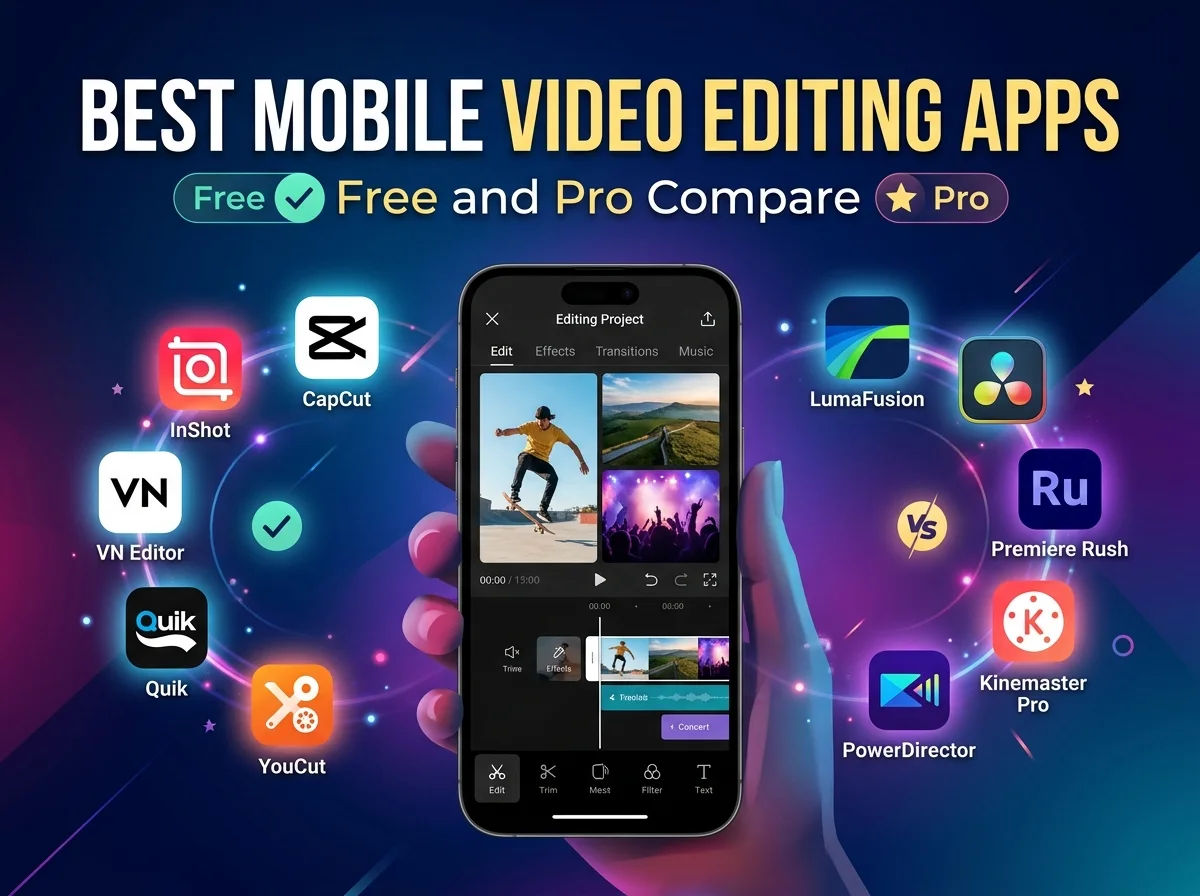
Creating high-quality video content no longer requires a bulky desktop computer or a studio full of expensive gear. Modern smartphones pack incredibly powerful processors, capable of rendering high-resolution footage in a matter of minutes. As a result, content creators, marketers, and casual users are increasingly relying on their mobile devices to record, edit, and publish videos directly to their favorite platforms.
Choosing the right application can make a massive difference in your creative workflow. The app stores are flooded with hundreds of video editors, each promising to be the ultimate solution. Some offer robust features entirely for free, while others require a monthly subscription or a hefty one-time payment to unlock professional-grade tools. Navigating this crowded marketplace can be overwhelming if you do not know exactly what features you need.
This comprehensive guide breaks down the most capable mobile video editing apps available today. We examine the top free options that pack a surprising punch, alongside the premium applications favored by industry professionals. By comparing their unique features, user interfaces, and overall performance, you will have the knowledge needed to select the perfect editing software for your next big project.
Why Edit Footage on Your Smartphone?
Editing directly on a mobile device offers distinct advantages for modern creators. Portability remains the biggest draw. You can trim clips, adjust audio levels, and apply color grades while commuting on a train or waiting at a coffee shop. This flexibility allows you to maintain a consistent publishing schedule without being chained to a desk.
Furthermore, mobile apps are heavily optimized for social media workflows. Many platforms integrate directly with social networks, allowing you to format your canvas for vertical viewing and instantly export your finished product. This seamless pipeline reduces friction and helps you capitalize on trending audio or challenges almost instantly.
Top Free Mobile Video Editing Apps
You do not necessarily need to open your wallet to access powerful editing features. Several free applications provide an impressive array of tools, though some may include minor limitations like watermarks or restricted export resolutions.
CapCut
Developed by ByteDance, the same parent company as TikTok, CapCut has rapidly become a favorite among mobile creators. It provides an intuitive interface that makes arranging clips and trimming footage incredibly simple.
The application shines through its massive library of trending effects, filters, and audio tracks. Users can easily remove backgrounds, stabilize shaky footage, and add auto-generated captions with a single tap. While it is completely free to use, CapCut does append a short branded bumper to the end of your videos, which you can easily delete before exporting.
VN Video Editor
VN Video Editor stands out because it completely avoids watermarks without requiring a premium upgrade. Designed for both beginners and advanced users, it features a multi-track timeline that mimics traditional desktop editing software.
You can easily layer multiple video clips, overlay text, and fine-tune your audio levels. The app also supports keyframe animation, allowing you to create custom zooming or panning effects. VN Video Editor is a fantastic choice for users who want granular control over their timeline without paying a subscription fee.
iMovie
For Apple users, iMovie remains a staple of mobile video production. Pre-installed on most iOS devices, it provides a clean, distraction-free environment for assembling footage.
While it lacks some of the flashy, social-media-centric effects found in newer apps, iMovie excels at traditional storytelling. You get access to cinematic templates, basic color correction, and excellent green-screen capabilities. It integrates flawlessly with the Apple ecosystem, meaning you can start a project on your iPhone and finish it on your Mac.
Top Pro Mobile Video Editing Apps
If you need advanced color grading, unlimited layers, or broadcast-quality export options, upgrading to a professional app is often necessary. These premium tools turn your phone or tablet into a portable production studio.
LumaFusion
Widely considered the gold standard for mobile video editing, LumaFusion brings desktop-level capabilities to iOS and Android. This app requires a one-time purchase, which many users prefer over recurring subscription models.
LumaFusion features up to six video and audio tracks, magnetic timelines, and advanced audio mixing capabilities. You can apply custom LUTs (Look-Up Tables) for professional color grading, manipulate keyframes for every parameter, and export footage in stunning 4K resolution. It is the go-to choice for mobile journalists and serious filmmakers.
KineMaster
KineMaster offers a robust suite of tools tailored for Android and iOS users who need high-performance editing on the go. While a free version exists, a premium subscription removes the prominent watermark and unlocks a massive asset store filled with royalty-free music, transitions, and graphics.
The app supports blending modes, chroma keying, and high-frame-rate exports. The interface operates entirely in landscape mode, maximizing your screen real estate and making it easier to manage complex timelines with multiple overlapping elements.
Adobe Premiere Rush
Designed to bridge the gap between mobile simplicity and desktop power, Adobe Premiere Rush is perfect for users already invested in the Adobe Creative Cloud. The app automatically syncs your projects across your phone, tablet, and computer.
Premiere Rush provides intuitive color presets, customized motion graphics templates, and automated audio ducking powered by Adobe Sensei AI. If you frequently start edits on your phone but want to polish them later in Premiere Pro, Rush provides an unbeatable, frictionless workflow.
Free vs. Pro: Making the Right Choice
Deciding between a free and a premium application depends entirely on your specific goals and production requirements. Free apps are usually perfectly equipped for creating short-form content like TikToks, Reels, and YouTube Shorts. They prioritize speed, trendy effects, and ease of use.
Professional apps cater to creators working on longer projects, such as documentaries, corporate videos, or cinematic vlogs. Premium applications offer higher export bitrates, multi-cam editing, and advanced audio processing. If video production generates income for your business, investing in a pro tool like LumaFusion or a Creative Cloud subscription quickly pays for itself in time saved and overall output quality.
Essential Features to Look for in a Mobile Editor
When evaluating any video editing app, pay close attention to a few core functionalities to ensure it meets your needs:
- Export Resolutions: Ensure the app supports exporting in at least 1080p, though 4K is strongly preferred for future-proofing your content.
- Multi-Track Timelines: The ability to layer b-roll footage over your main talking-head video is crucial for engaging storytelling.
- Audio Controls: Look for tools that allow you to detach audio, adjust volume levels independently, and apply noise reduction.
- Color Correction: Basic brightness and contrast sliders are helpful, but support for custom LUTs provides a massive advantage for cinematic looks.
Frequently Asked Questions
Can I edit 4K video on my mobile phone?
Yes. Most modern flagship smartphones from Apple, Samsung, and Google have the processing power to handle 4K video files seamlessly. Apps like LumaFusion and KineMaster are specifically optimized to render 4K footage without crashing.
How do I remove watermarks from free video editors?
Some apps, like CapCut, simply place the watermark on a separate clip at the end of the timeline, which you can highlight and delete before exporting. Others require you to watch a short advertisement to remove the branding. However, many “freemium” apps will force you to purchase a premium subscription to remove the watermark entirely.
Are paid video editing apps a one-time purchase or a subscription?
It depends on the developer. LumaFusion is famous for offering a single, one-time payment for lifetime access to the app. Conversely, apps like KineMaster and Adobe Premiere Rush require monthly or annual subscriptions to maintain access to premium features and cloud storage.
Ready to Hit Record and Start Editing?
Your smartphone holds immense creative potential, and downloading the right editing application is the first step toward unlocking it. If you are just starting out, download a free option like VN Video Editor or CapCut to learn the basics of timeline management and clip trimming. Once you feel limited by those tools, you can confidently upgrade to a premium powerhouse.
Grab your phone, shoot some test footage around your house, and start experimenting with the tools outlined in this guide. The best way to improve your video editing skills is through consistent practice and hands-on experience.
For more info please visit Techleez.

Fold Smith
Fold Smith is a technology journalist and the lead editor of The Techleez, an India-first publication that decodes technology, digital payments, streaming and online culture for everyday readers. From UPI and fintech explainers to OTT streaming guides, Android tips and online-safety checklists, he personally tests the apps, tools and services featured on the site before recommending them. His focus is practical, research-backed guidance that helps Indian readers make smarter digital decisions — spend less, stream better and stay safe online. When he is not writing, he is usually tracking NPCI circulars, first-day-first-show box office numbers, or the next big OTT premiere.
More from this author →