mAadhaar is on its way out. UIDAI launched a new app, called simply Aadhaar, in January 2026, and has said mAadhaar will be discontinued. The new app passed 2.1 crore downloads within about three months.
mAadhaar still works and still has 100 million-plus installs, so this is a transition rather than a switch-off. Here is what each app does, and the one specification that virtually every Indian article gets wrong.
The Error Everyone Repeats
mAadhaar supports three profiles on one registered mobile number. Not five.
The figure of five comes from a much older version and has been copied between sites for years. If you are planning to hold Aadhaar profiles for your whole family on one phone, three is the number to plan around.
What mAadhaar Does
The app, still updated as of April 2026 and available in 13 languages:
- Download your Aadhaar and order a reprint
- Update your address
- Offline eKYC — generates a password-protected XML or ZIP file for sharing your details without exposing your Aadhaar number
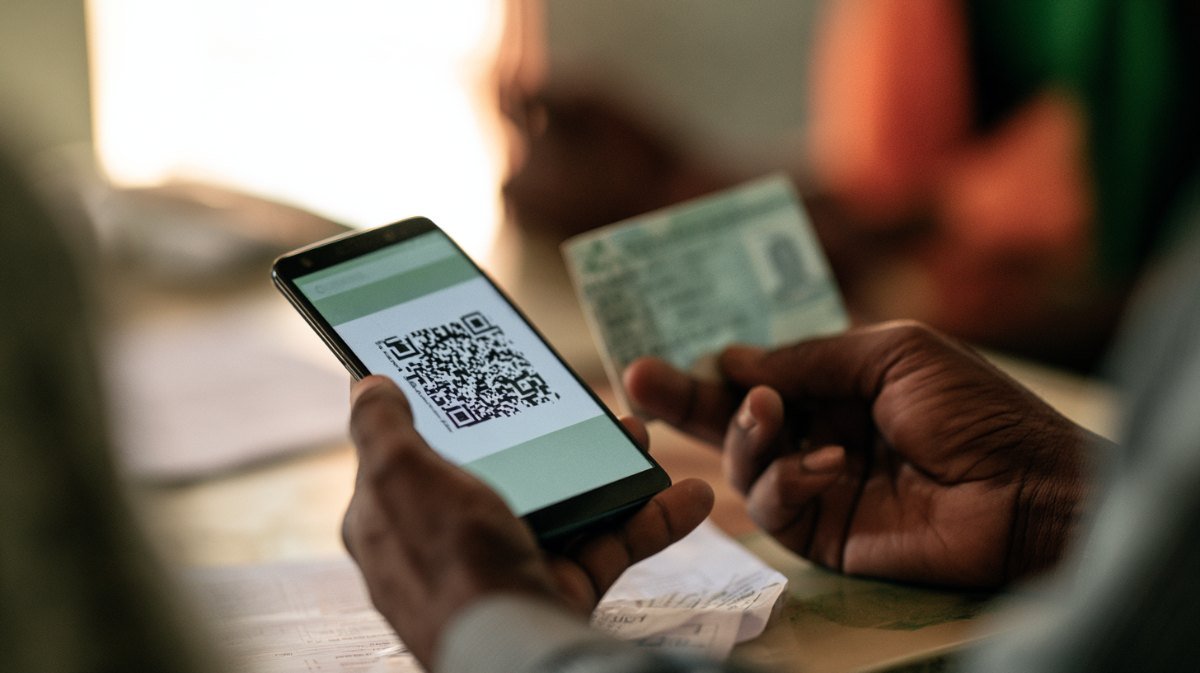
- Generate and scan QR codes
- Lock and unlock biometrics
- TOTP — a time-based code generated in the app instead of an SMS OTP
- Retrieve a lost UID or EID
- Verify an Aadhaar and locate an enrolment centre
Two of these are more useful than people realise. TOTP means you can authenticate even where SMS is not arriving — a genuine help in poor-signal areas and a small hedge against SIM-based attacks. And offline eKYC lets you share verified details without handing over your Aadhaar number at all.
What the New Aadhaar App Adds
The January 2026 app is a meaningful upgrade rather than a reskin:
- Face authentication
- Selective, masked data sharing by QR — share only your name and photo, or only the fact that you are over 18, without revealing everything else
- In-app biometric locking for fingerprint, face and iris
- MPIN login
- Online mobile number and address updates, which the classic portal never supported
- Free email updates
- Aadhaar Verifiable Credentials in Google Wallet
The selective sharing is the standout. Handing a hotel or a gym a QR that proves you are over 18 without disclosing your address or Aadhaar number is a real privacy improvement over photocopying the card, which is what most people still do.
Since launch, UIDAI reports around 28 lakh mobile number updates and roughly 6 lakh address changes completed through the new app — services that previously required a trip to a Seva Kendra. Note the condition, though: online mobile number update works only if you still hold the currently registered number, as explained in our guide to linking your mobile number with Aadhaar.
Biometric Lock: What It Does Not Do
Both apps offer biometric locking, and it is widely misunderstood.
Locking blocks fingerprint, iris and face authentication only. It does not block OTP-based authentication or demographic verification, both of which continue working normally.
That is deliberate and it is the point — you can close the biometric door, which is the one abused in AePS cash-withdrawal fraud, without locking yourself out of your own online services. The full case for doing it is in our guide to locking your Aadhaar biometrics.
Which Should You Install?
The new Aadhaar app, if your phone supports it. It does everything mAadhaar does and adds face authentication, selective sharing and online updates. Given UIDAI’s stated intention to discontinue mAadhaar, moving now avoids doing it under pressure later.
Keep mAadhaar only if you specifically rely on something the new app has not yet replicated, and check periodically.
Either way, install from the official listing. Aadhaar is among the most impersonated apps in India, and a lookalike asking for your Aadhaar number and OTP is exactly the fraud you would expect.
Worth Doing Once
Whichever app you use, spend ten minutes on three things.
Confirm your registered mobile number is current. Everything depends on it, and an old number locks you out of every online Aadhaar service.
Lock your biometrics if you do not use AePS, which covers most urban account holders.
Generate a Virtual ID and use it instead of your Aadhaar number wherever a number is demanded by someone with no business retaining it — hotels, gyms, delivery verification.
Those three take one sitting and close the most commonly exploited gaps. We cover India’s digital identity systems in plain language at Techleez com.
Using Offline eKYC Properly
This is the feature most worth learning, because it replaces the thing nearly every Indian does by default: handing over a photocopy.
Offline eKYC generates a password-protected file containing your verified demographic details and photograph, digitally signed by UIDAI, without exposing your Aadhaar number. The recipient can verify the signature and confirm the data is genuine and unaltered.
Where this matters: rental agreements, gym and club memberships, job applications, hotel check-ins and any verification by an organisation with no legitimate reason to retain your Aadhaar number. A photocopy in a drawer is the raw material for the fraudulent SIM connections and loan applications that turn up in people’s names months later.
Set your own share code when generating the file, and give it to the recipient separately rather than in the same message.
If Your Registered Number Is Dead
Every function above depends on OTP delivery, so an outdated registered number disables the entire app.
This is the single most common reason people find Aadhaar services unusable, and it cannot be fixed inside either app unless you still hold the old number. If you have lost it, the only route is an in-person visit to an Aadhaar Seva Kendra with biometric verification.
Check now rather than at the moment you need it. Attempt an OTP login; if it does not arrive, put the Seva Kendra visit on your list before it blocks something urgent, such as a PAN application or a bank KYC.
Frequently Asked Questions
How many profiles can mAadhaar hold?
Three on one registered mobile number. The figure of five circulating on many sites is out of date.
Is mAadhaar being discontinued?
UIDAI has said it will be discontinued, following the launch of the new Aadhaar app in January 2026. mAadhaar still works for now.
What does the new Aadhaar app add?
Face authentication, selective masked data sharing by QR, MPIN login, in-app biometric locking, and online mobile number and address updates.
Does biometric lock stop Aadhaar OTP verification?
No. It blocks fingerprint, iris and face authentication only. OTP and demographic verification continue to work.
What is offline eKYC used for?
It generates a password-protected file letting you share verified details without disclosing your Aadhaar number.
Can I update my mobile number in the app?
Only in the new Aadhaar app, and only if you still have access to the currently registered number. Otherwise you must visit a Seva Kendra.

Fold Smith
Fold Smith is a technology journalist and the lead editor of The Techleez, an India-first publication that decodes technology, digital payments, streaming and online culture for everyday readers. From UPI and fintech explainers to OTT streaming guides, Android tips and online-safety checklists, he personally tests the apps, tools and services featured on the site before recommending them. His focus is practical, research-backed guidance that helps Indian readers make smarter digital decisions — spend less, stream better and stay safe online. When he is not writing, he is usually tracking NPCI circulars, first-day-first-show box office numbers, or the next big OTT premiere.
More from this author →